Free Property Management Software for Landlords
Track rent, payments and expenses, handle repair requests with your handyman, and give every tenant their own portal to pay and message you. Built by a California landlord law firm and free for any landlord, with no limit on units.
Create your free account See how it works
Already have an account? Log in to the portal.
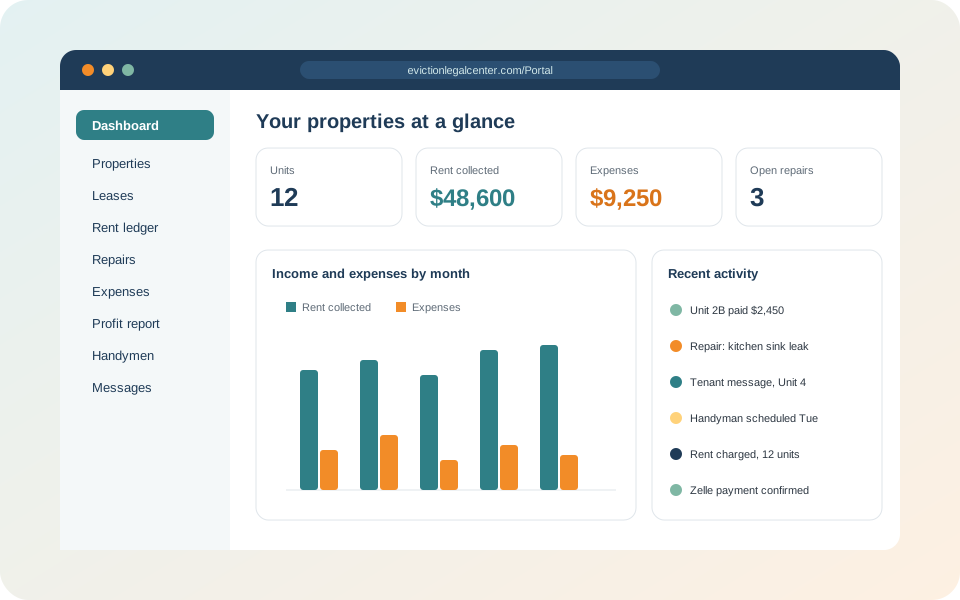
Everything a small landlord needs, in one place
Rent tracking
Charge monthly rent, record payments and see each tenant's balance and full ledger.
Tenant portal
Tenants log in to see their balance, report payments, request repairs and message you.
Zelle, check or card
Show tenants how you accept rent, including your own card payment link. No processing fees.
Repairs and handymen
Tenants report problems, you reply, and your handyman gets a job link to update the status.
Expenses and profit
Record costs per unit or per property and see profit after expenses for any period.
Tax time export
Download income and expenses as a spreadsheet for your accountant.
Email alerts
Get an email when a tenant messages you, reports a payment or requests a repair.
Notices and evictions
Log notices served and track an eviction case, with attorneys one call away if you need them.
How to use the free property management software
Most landlords are set up in about 15 minutes. Here is the whole process, step by step.
Create your free account
Click Create your free account, enter your email and a password, and you are taken straight to your dashboard. If you forget your password, use "Forgot your password?" on the login page and we email you a reset link.
Add your property and units
Go to Properties, click Add property and enter the address and county. Then add each unit (a single family home has one unit). You can record bedrooms, bathrooms, square feet and parking.
Add the lease and tenants
Open a unit and click Add lease. Enter the start date, monthly rent, deposit and the day rent is due, then add every adult on the lease with their phone and email. The lease page becomes the hub for that tenancy.
Charge rent and record payments
Each month click Charge this month's rent on the lease, and Record a payment when rent comes in. The rent ledger keeps a running balance, and the dashboard shows the total owed across all your units.
Set your rent payment options and invite tenants
Edit the property and fill in Rent payment options: your Zelle email or phone, who checks are payable to and where to mail them, and a card payment link if you use Square, Stripe or PayPal. Then click Invite next to each tenant on the lease page. The tenant gets an email to create a login at /tenant, where they see their balance and your payment instructions. When a tenant reports a payment you get an email, and one click on Confirm received adds it to the ledger.
Handle repair requests
Tenants request repairs from their portal, or from the private repair link on each unit page. You get an email, reply in the request thread, and assign a handyman from your Handymen list. The handyman gets a job link to message you and update the status (scheduled, in progress, completed) without needing an account.
Track expenses and profit
Record expenses such as repairs, insurance, property tax, utilities and management for a unit or the whole property. The Profit report subtracts expenses from rent collected by unit or by property, for this month, this year or any date range, and downloads as a spreadsheet.
Start managing your rentals for free
No credit card, no trial that runs out, no limit on properties or units.
Create your free account Questions? (714) 782-7275Free software compared with paid landlord software
| Feature | Our free software | Typical paid software |
|---|---|---|
| Monthly cost | $0 | Usually a monthly fee per account or per unit |
| Unit limit | No limit | Often priced by number of units |
| Rent ledger and balances | Included | Included |
| Tenant portal and messaging | Included | Often only on higher plans |
| Rent payment fees | None; tenants pay you directly by Zelle, check or your own card link | Online payments often carry processing fees |
| Repair requests with handyman job links | Included | Varies by plan |
| Expense and profit reports | Included, with spreadsheet export | Included |
| Help from an eviction attorney | Built in: notice templates, case tracking and a law firm one call away | Not included |
Frequently asked questions
Is the property management software really free?
Yes. Creating an account and using every feature is free, with no credit card, no trial period and no limit on properties or units. The software is provided by Eviction Legal Center, a landlord law firm. We built it for our clients and opened it to all landlords; if you ever need help with a problem tenant, we are here.
Can tenants pay rent online through the software?
Tenants see how you accept rent (Zelle, check or money order, or your own card payment link from Square, Stripe or PayPal) and can report a payment from their tenant portal. You confirm it when the money arrives and it is added to the rent ledger automatically. The website never handles card numbers and charges no processing fees.
Is there a tenant portal?
Yes. Invite a tenant from the lease page and they get their own login where they can see their balance and rent history, find your payment instructions, report payments, request repairs and message you.
How do repair requests work?
Each unit gets a private repair link you can share with tenants, and tenants with a portal login can request repairs there. You get an email, can reply back and forth with the tenant, assign a handyman who gets their own job link, and record the cost as an expense.
Can I track expenses and profit for each property?
Yes. Record expenses for a single unit or a whole property. The profit report subtracts expenses from rent collected by unit or by property for any date range, and you can download a spreadsheet for your accountant or tax preparer.
Who can see my data?
Only you, the tenants you invite (who see only their own lease), and our law office, which can view portal records so we can help quickly if you need a notice or an eviction. We do not sell or share your information.
Does it help with evictions?
Yes. You can log notices served and track an eviction case with its key dates. The website also has updated California notice templates, and our attorneys can prepare the notice and handle the case if a tenant stops paying.
Ready to try it?
Set up your first property in a few minutes. If a tenant ever stops paying, our attorneys can help from the same place.
Create your free account Free California notice templates